
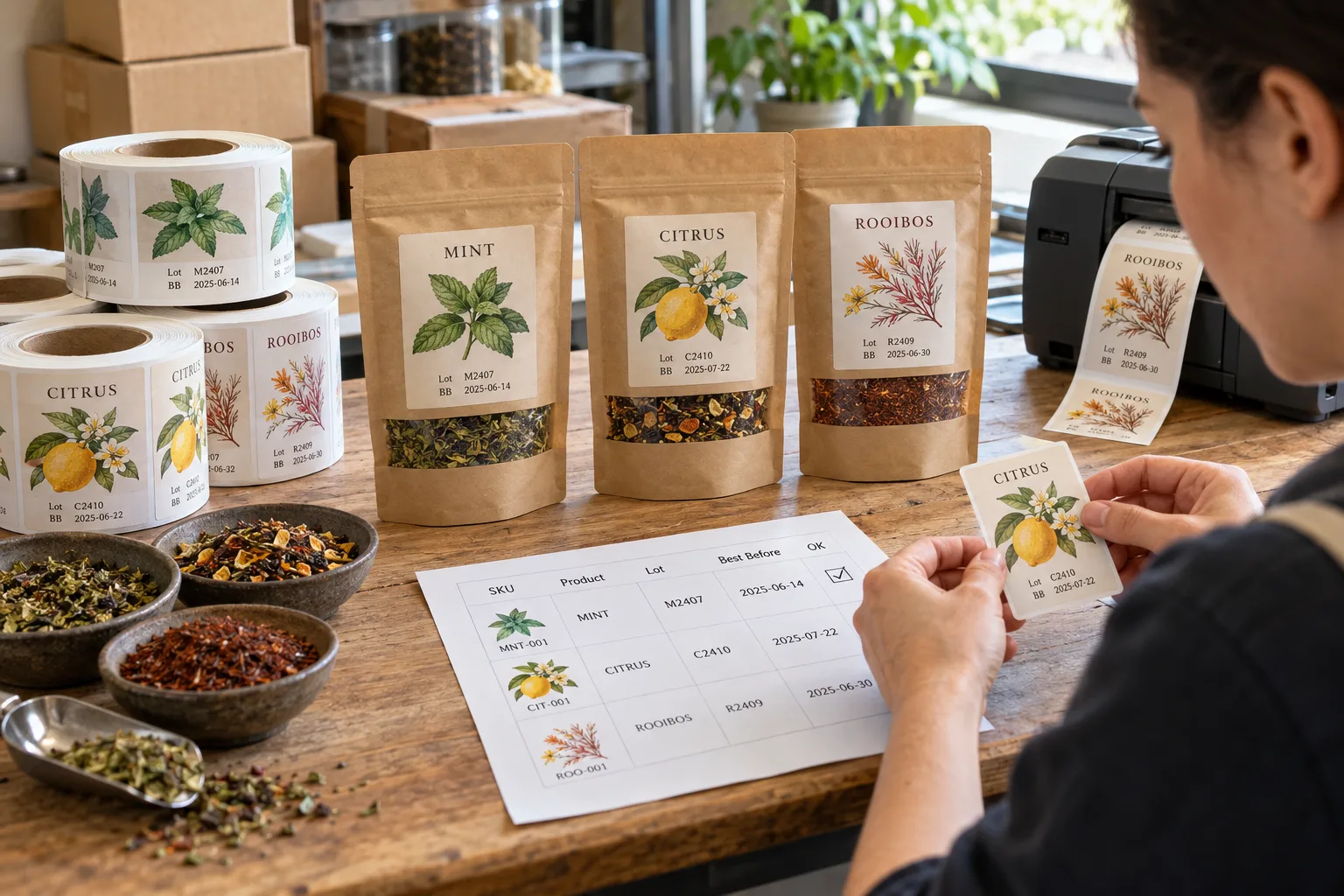
A short run can create more label versions than a large one. Three tea flavors, two market languages and a new lot each week sound manageable until a packing table holds six nearly identical rolls. I would make the variant list and the source of each code visible before discussing how attractive the label looks.
Separate fixed artwork from data that changes. The original illustrated flavor design, product name and approved ingredient panel may be stable within a version. Lot, date or serial fields may change by batch or by unit. Write down who supplies each field, when the value is locked and how it reaches the print or coding step. A clean file name is helpful; a signed-off data table is better.
Choose the Coding Point
Some projects print variable data with the label. Others use a later thermal-transfer or inkjet step on a reserved field. The right route depends on the run size, packing workflow, label surface and the owner's equipment. Test the chosen code on the actual finished label and pack. A code can be readable on a flat proof yet land across a pouch fold or disappear against a dark illustration.
If a barcode or QR code changes, test it with the intended scanner and data destination. Do not assume that a code that scans once under office lighting will scan on a curved or chilled pack. Keep a human-readable identifier beside machine-readable data when the operational process needs one.
Make Pack-Out Part of Quality Control
Keep one approved row per SKU, language and batch. Compare the first printed item with that row; repeat the check when a roll or data file changes. Mark finished bundles so packing staff can identify them without opening every sleeve. If a correction is made, retire the old file and unused labels deliberately. The brand is responsible for approved product and date information; the supplier's job is to follow and verify the agreed data flow.
- List every SKU, language and changing field
- Define the owner and lock time for source data
- Reserve a readable code area in artwork
- Check first-off print and every changeover
- Scan on finished packs where relevant
- Label bundles and retire obsolete versions
The reorder checklist helps with version control, while the barcode label guide covers scanning. Send a sample data table, a finished pack and the coding workflow through the specification planner.
Questions Before You Order
Should lot codes be printed with the artwork or added later?
Choose based on the brand's data source, production sequence and inspection process. Both routes need a proof of the real finished pack.
Can one generic label serve several flavors?
Only when the final applied label still identifies the correct product clearly and carries all brand-approved information. Control the variable fields and packing by SKU.
Who decides the lot and date format?
The product owner should define the approved format and data. The printer should reproduce it accurately and help verify legibility, placement and count.