
Before ordering planner sticker sheets that will stay in a ring binder, check the entire sheet on the actual rings and peel the nearest sticker while the sheet is in place. A backing that matches the page dimensions can still catch as it turns or leave the nearest peel edge out of reach. If the binder varies across the collection, compare a loose sheet stored in a pocket with separate layouts for the named binder models.
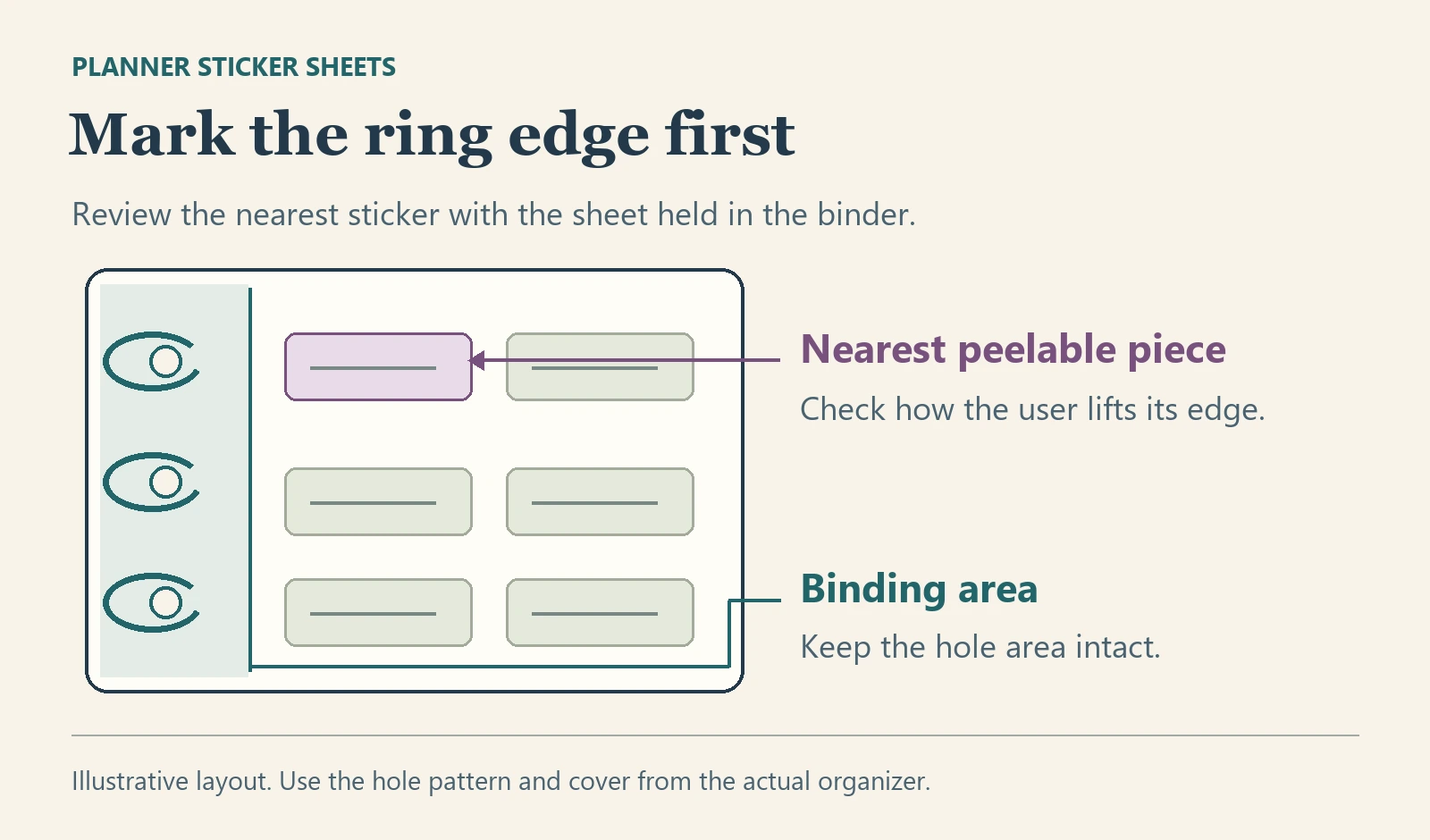
Start with the organizer the buyer will supply
Use the binder model, a verified page or hole reference, and the orientation of the sheet. Mark the finished backing outline, the holes, the area that must remain intact for binding, and the sticker cutlines. Identify the edge from which the user will start peeling the nearest piece. Check the sheet against the actual cover, any dividers and the closure. A page name can describe the paper size while leaving the binding details open. Filofax lists separate portable punches for its A5 organizer and Personal organizer. Both list limits on the material they can punch. Check the actual tool and proposed sticker backing if the buyer or a finishing partner will do that work.
Compare a bound sheet with a loose sheet
A sheet that stays on the rings is easy to find in a planner sold as a complete kit. It uses part of the backing for binding and puts the rings near the first row. If a sticker needs that space, shift it outward, reduce the number of pieces, or compare a loose sheet. A removable sheet stored in the planner pocket can preserve more space for stickers, but the buyer must check that it slides in and out with other items present and is easy to return. If the same kit is sold with several binders, validate each actual combination before naming compatibility on the pack.
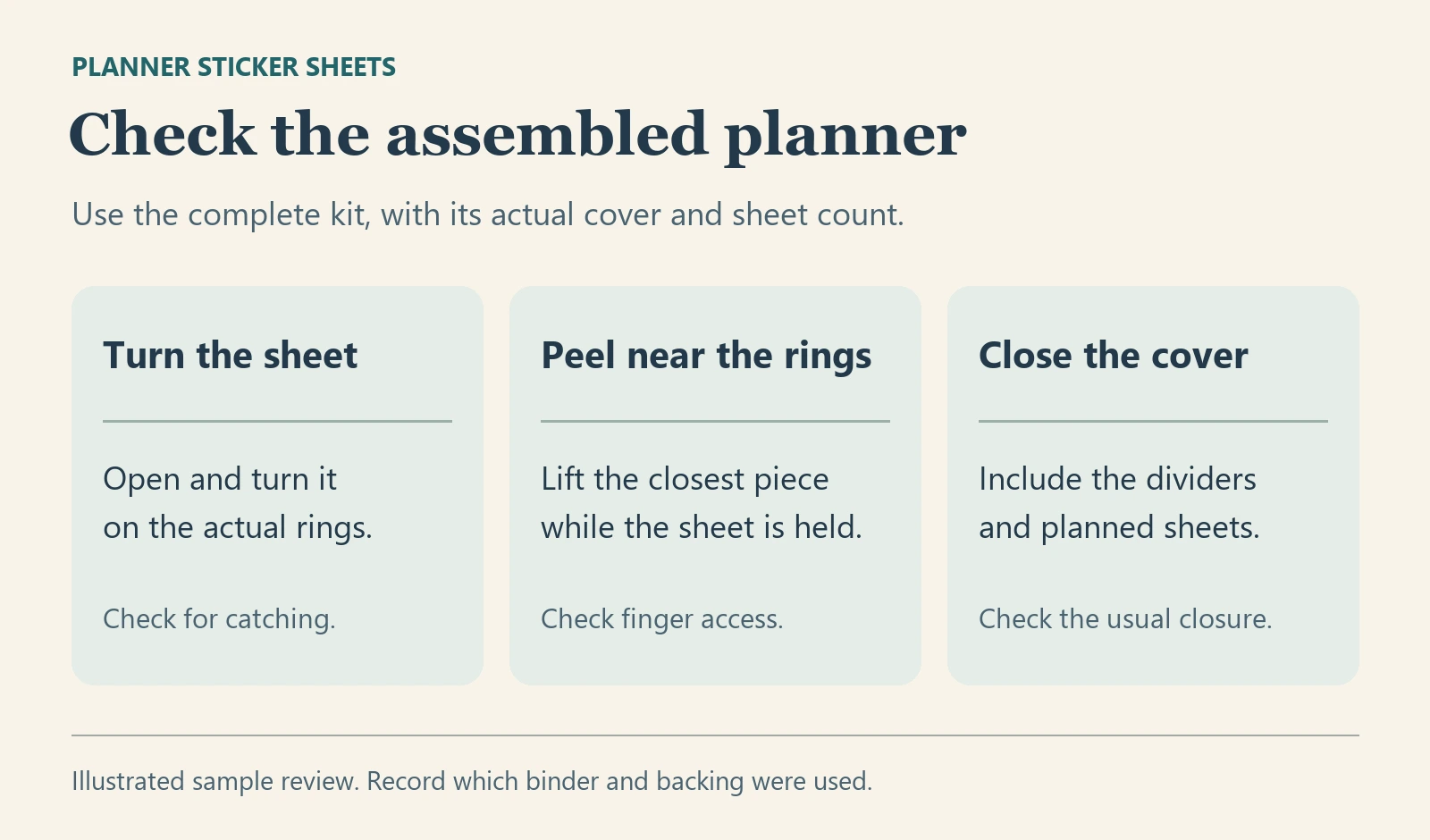
Approve a sample in the intended position
| Input | Try it in the planner | When to hold |
|---|---|---|
| Actual binder and full-size backing drawing | Place a paper mockup in the intended position and turn it in both directions. Check the edges against neighboring pages. | The hole pattern is unconfirmed, the sheet catches on the rings, or it reaches past the cover. |
| Representative converted sheet | Peel the closest piece from the intended edge while the sheet stays on the rings. Try again with the neighboring piece removed. | The ring obstructs the grip, the backing distorts, or the nearest cutline enters the binding area. |
| Complete kit with its planned number of sheets | Close the cover and operate the clasp or sleeve using the buyer's normal handling. Repeat for each claimed binder model. | The kit needs extra pressure to close, catches during use, or has only been checked in a different binder. |
A paper mockup can settle location and orientation. Use the proposed converted backing to review what happens after punching and peeling. Confirm who performs the punching and whether the supplier's quote covers that operation. If the buyer will finish the sheets locally, document the proposed tool and sample arrangement before approving the bulk sticker layout. ZC sample policy.
For a quote, send the binder model, marked backing and hole reference, nearest cutlines, number of sheets per kit and intended punching responsibility. The custom sticker sheets range is the starting point for reviewing the backing, spacing and supplied sheet quantity.